Project overview
Dama is an analytics and audience platform. Teams follow users, sessions and revenue, dig into reports like RFM, cLTV and funnels — and turn what they find into audiences for their ad platforms.
Dashboard01 / 05
The numbers first.
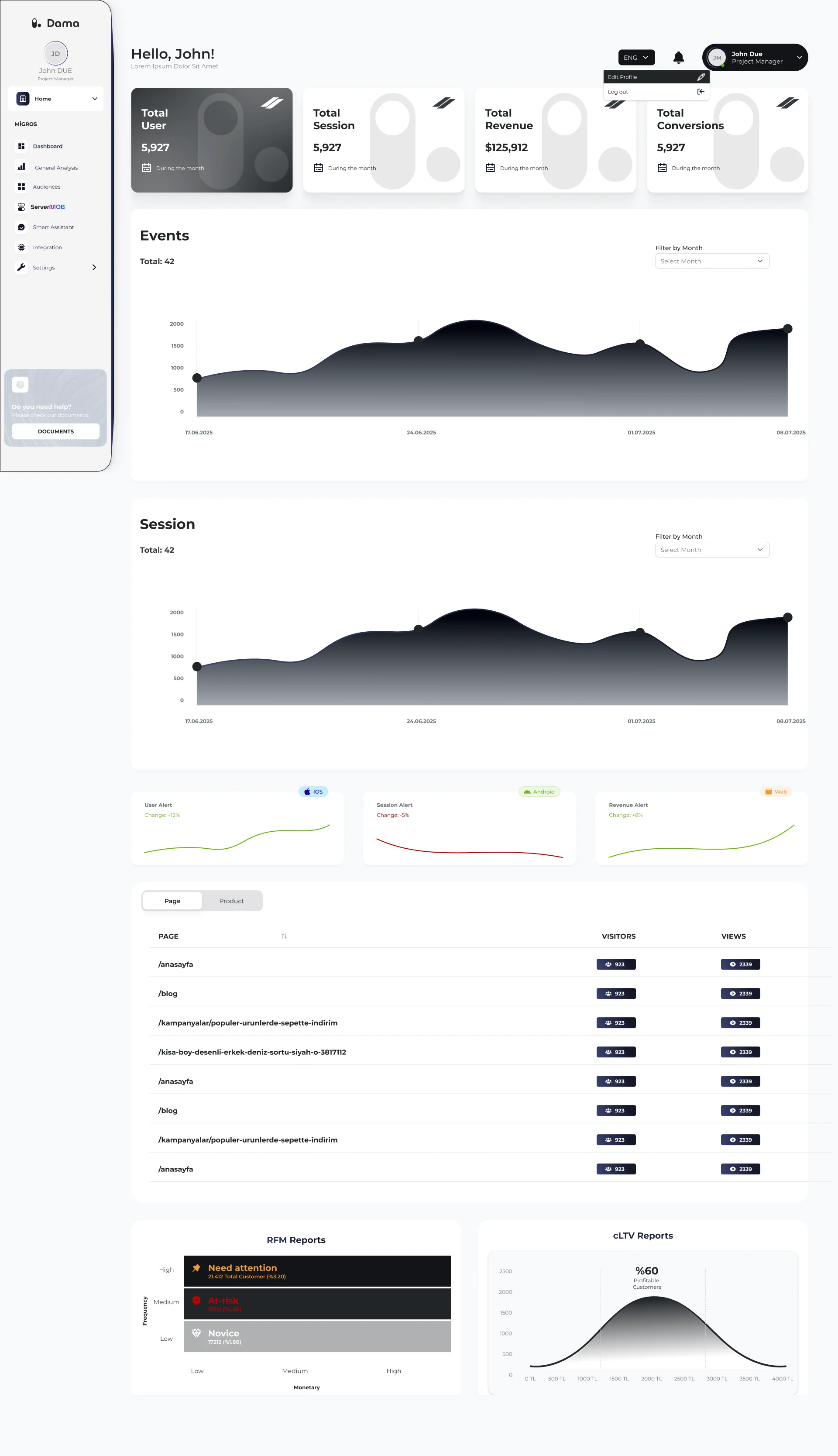
People open an analytics tool with one question: how are we doing? The dashboard leads with four headline numbers, then the trends behind them, then the detail.
Pages, alerts and previews of the RFM and cLTV reports sit further down — each one a door into a deeper view.
- Key metrics at the top
- Trends before tables
- Report previews link deeper
Reports02 / 05
Reports that end in an action.
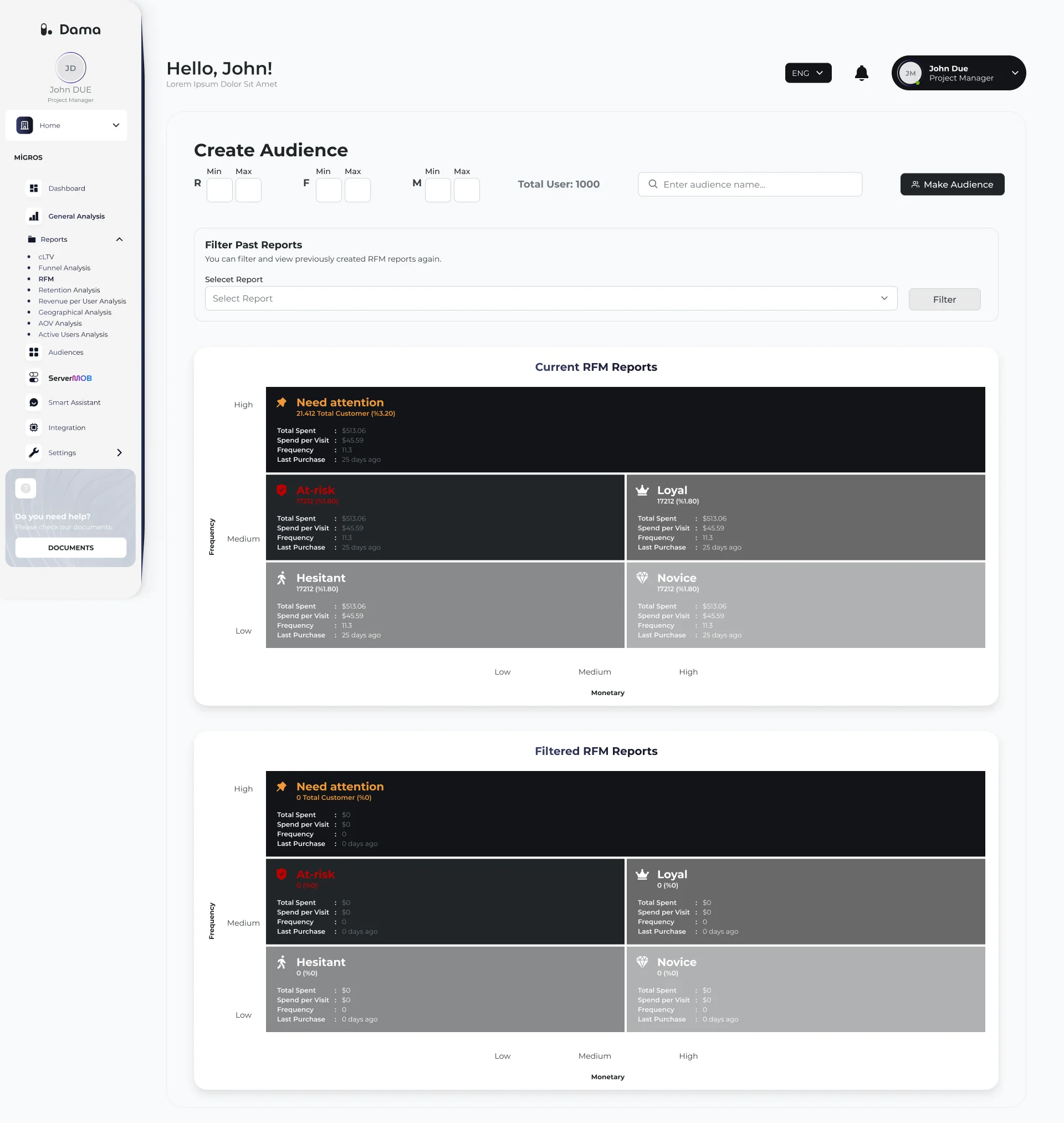
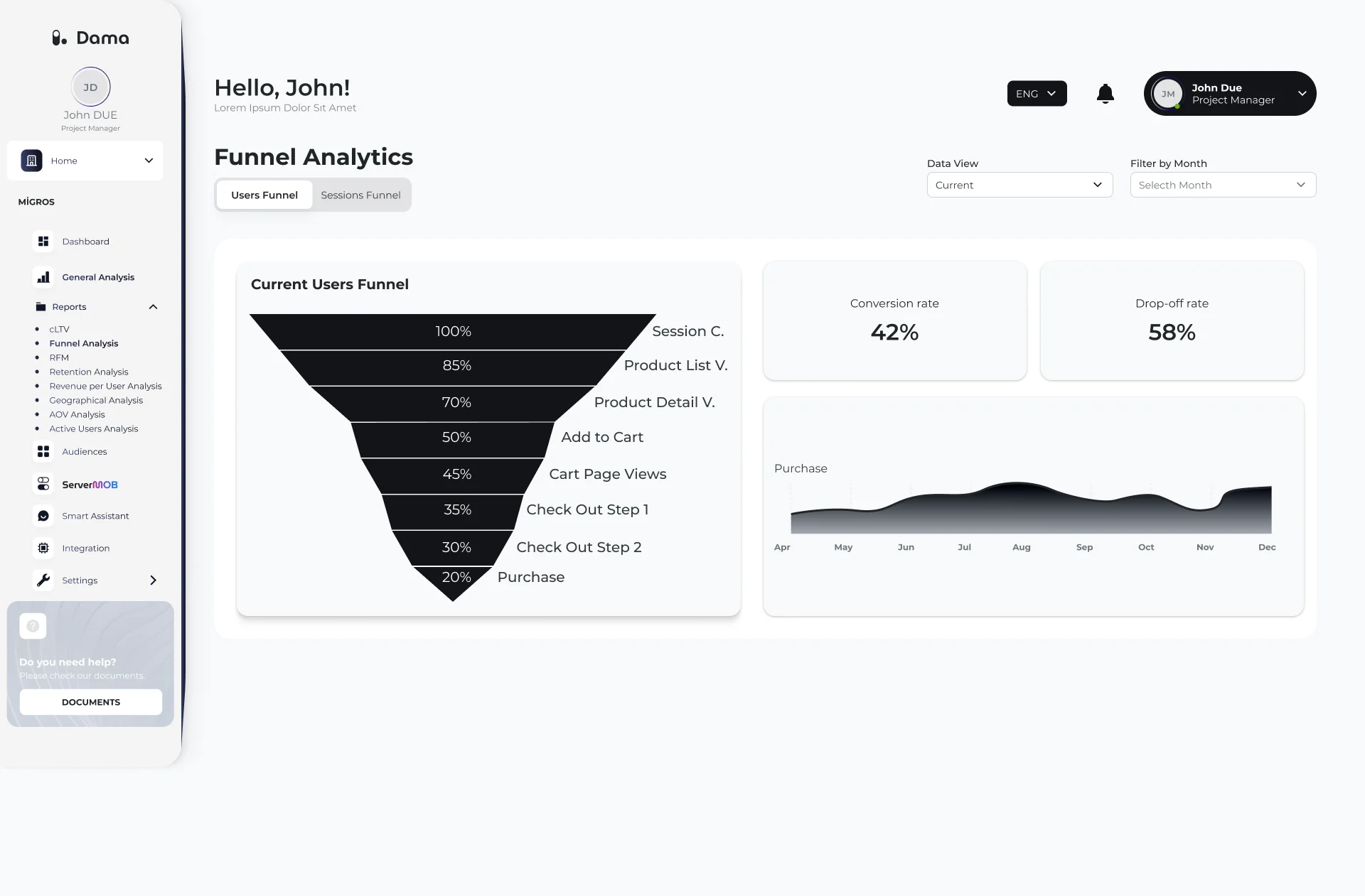
A segment or a drop-off is only useful if something happens next. RFM groups and funnel steps are shown with the values that matter, and can become an audience without leaving the report.
- RFM grid with each segment’s key values
- Funnel with conversion and drop-off rates
- “Make Audience” right where the insight is
Audiences03 / 05
Audiences that go somewhere.
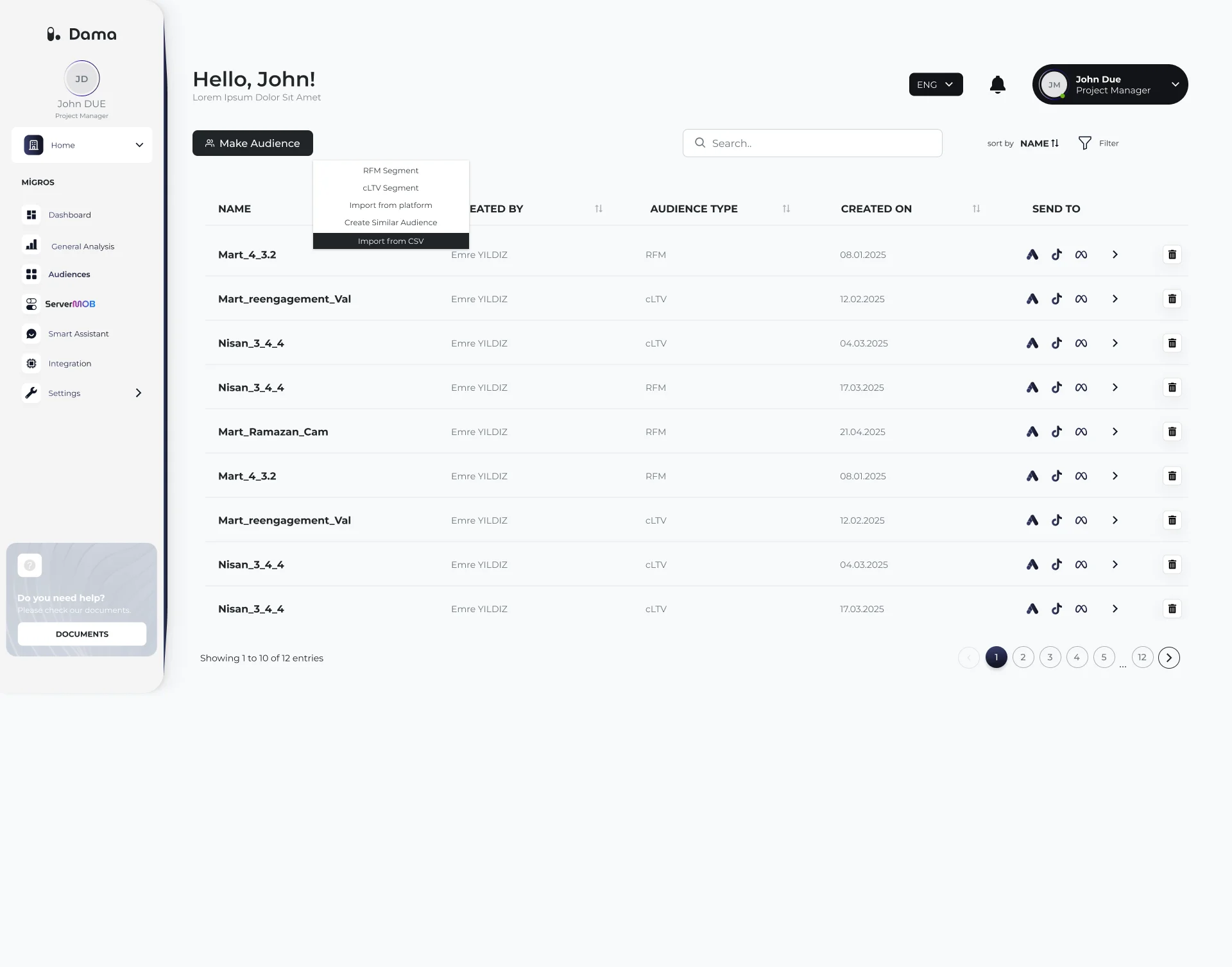
Audiences are listed with their type and owner, and can be sent straight to ad platforms. There are several ways in — from a report, a platform import, a CSV or a similar-audience model.
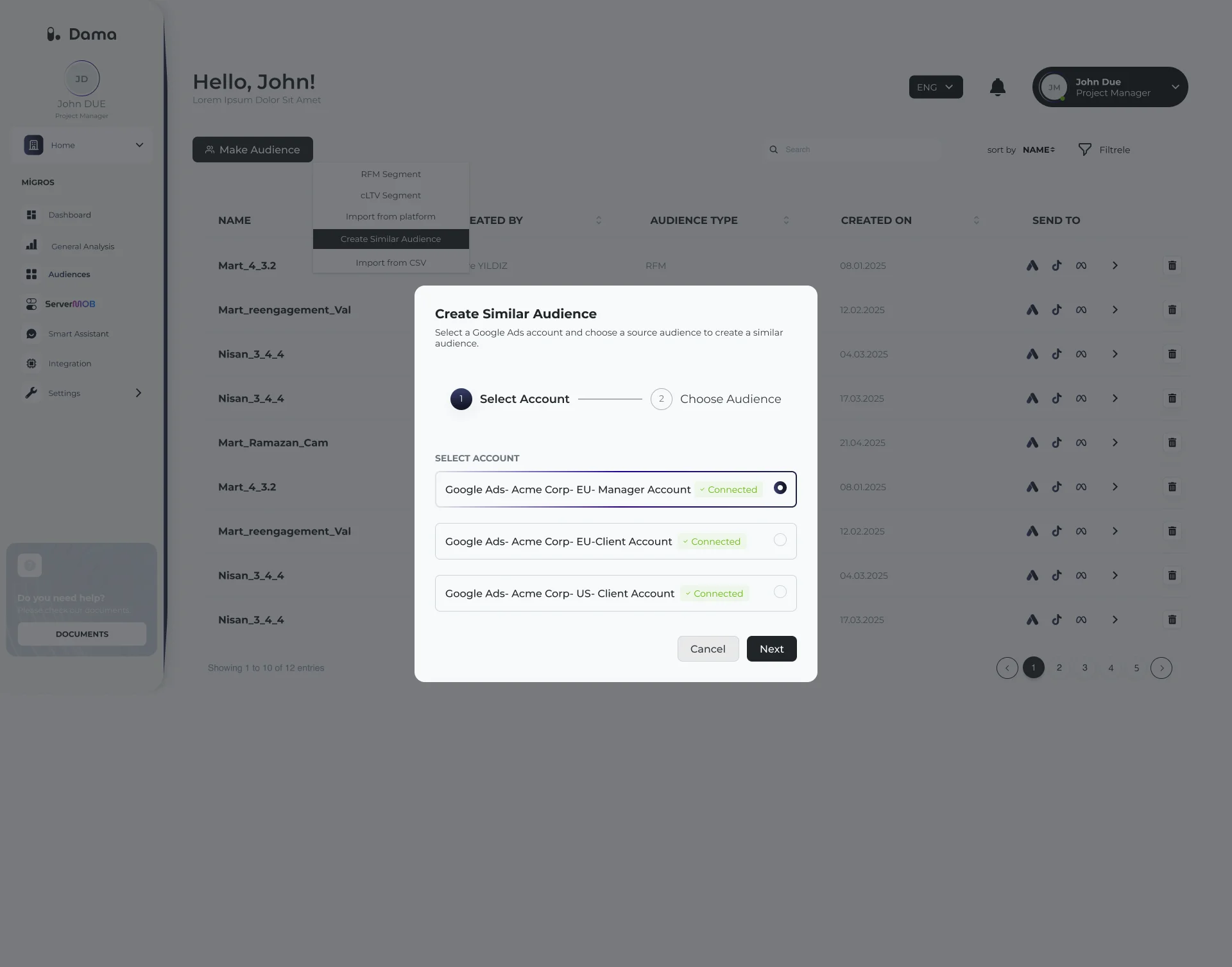
Creating a similar audience is a guided, two-step flow: pick a connected account, then the source audience.
- Google Ads, TikTok and Meta as destinations
- Five ways to create an audience
- Two-step modal with clear progress
Smart Assistant04 / 05
Ask, instead of digging.
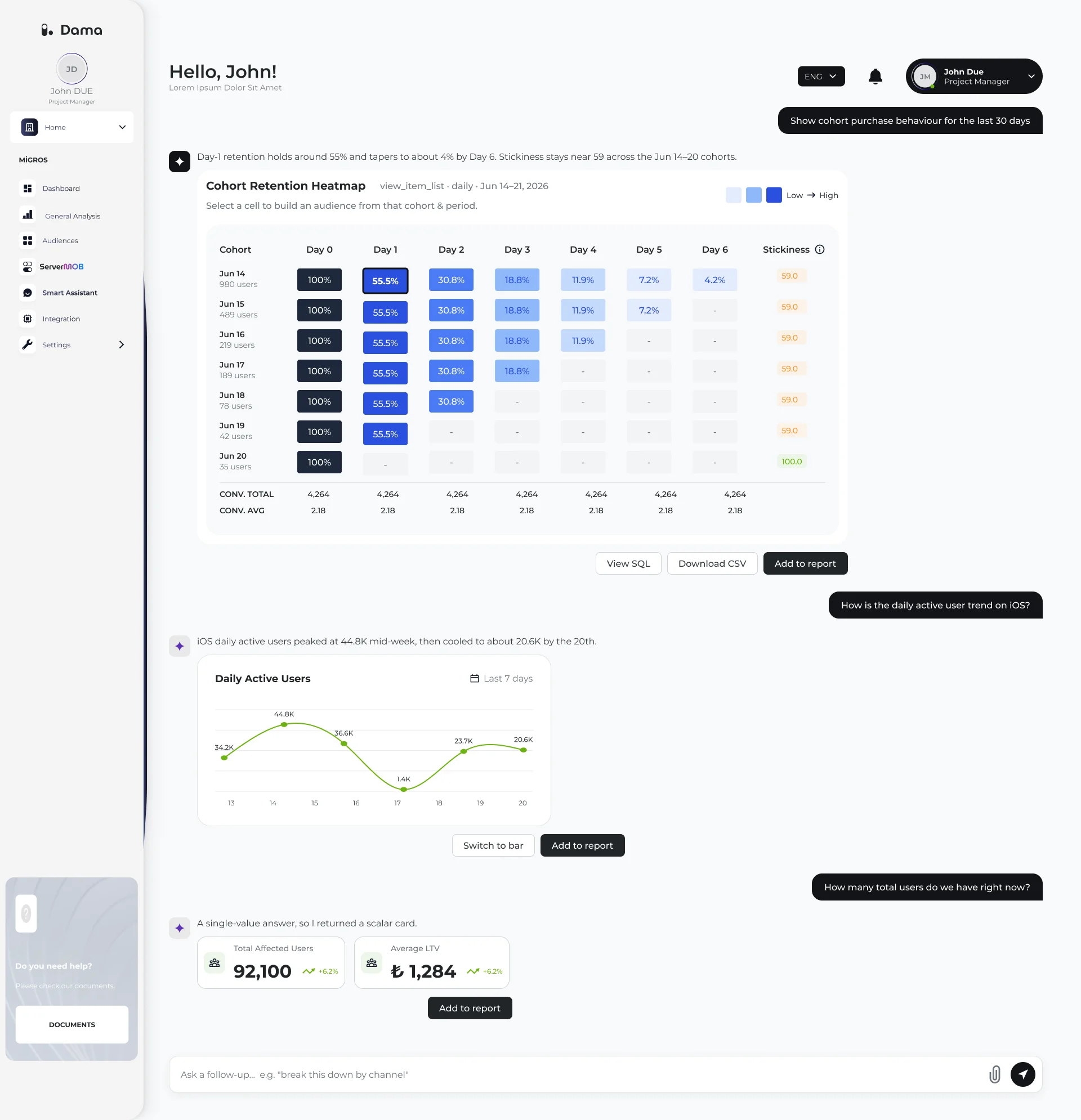
The Smart Assistant answers questions in plain language with the visual that fits the answer — a cohort heatmap, a trend line or a single number.
Every answer can be checked, exported or added to a report, so it stays trustworthy and reusable.
- The answer picks its own chart
- “View SQL” for transparency
- Download CSV or add to report
Mobile app05 / 05
The essentials, on the go.
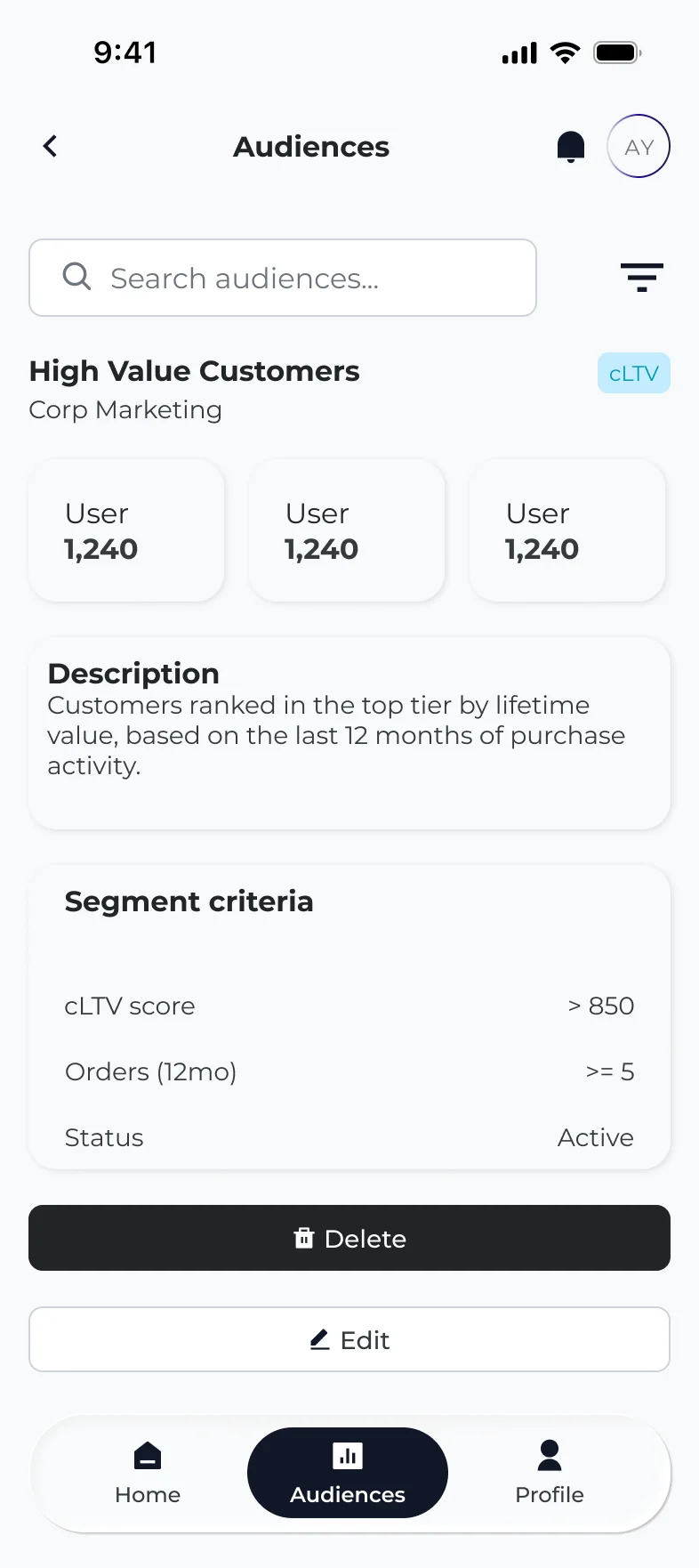
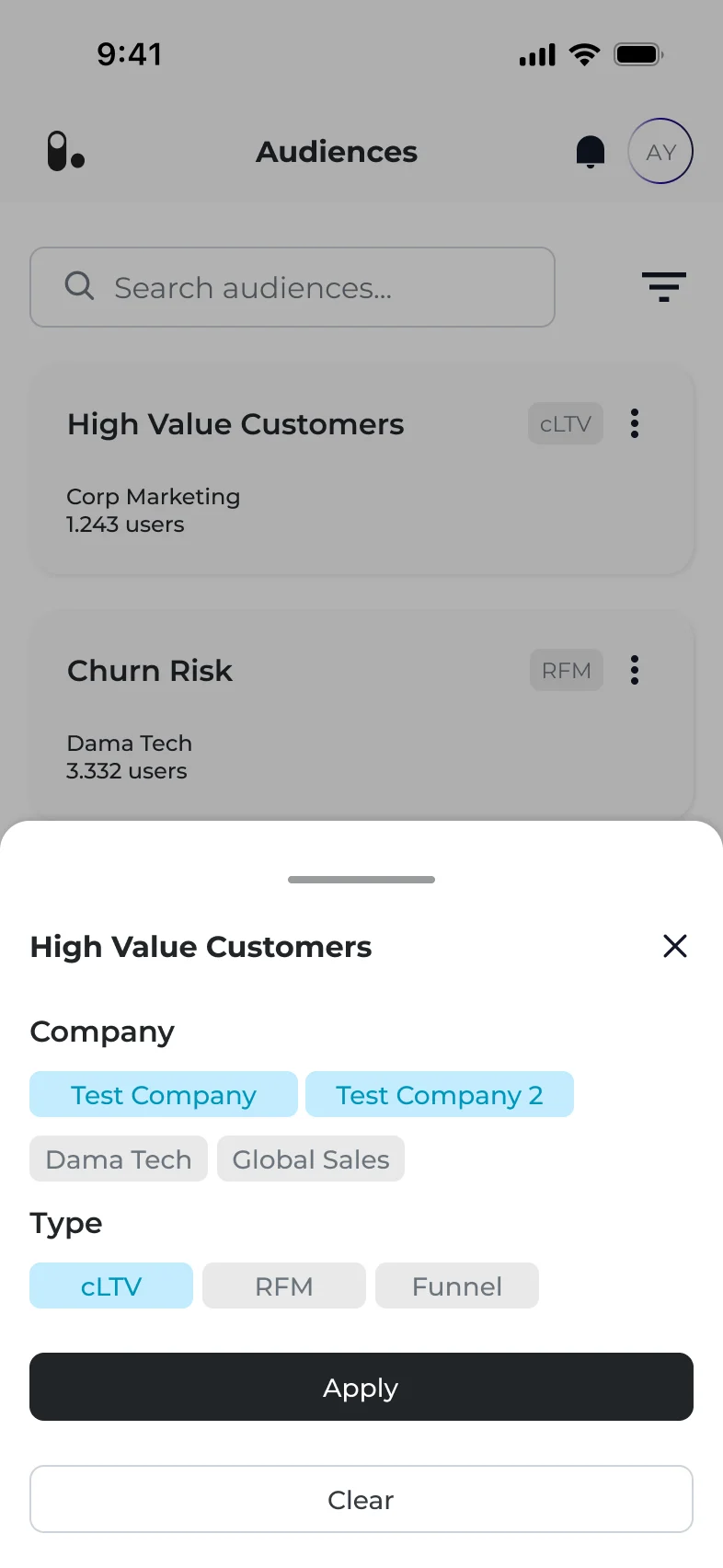
The mobile app focuses on what people check away from their desk: key numbers and audiences. Filters open in a bottom sheet, so the list stays in context.
- Audience detail with its segment criteria
- Filters by company and audience type