Project overview
Otogit buys second-hand cars. This selling flow takes people from “what is my car worth?” to a booked, free inspection — on desktop and on mobile.
First screen01 / 05
One question, right away.
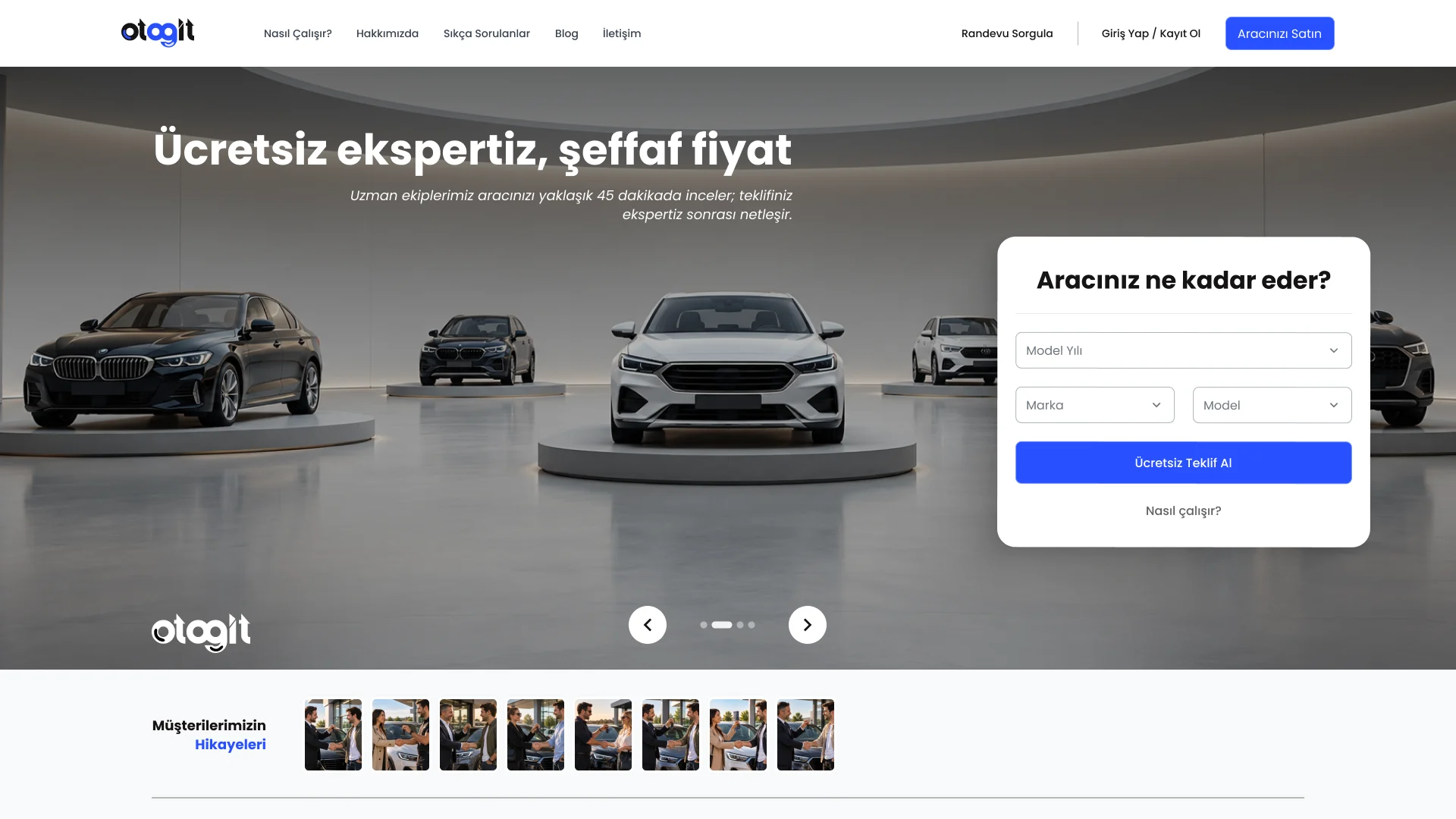
The homepage starts with the question every seller has — how much is my car worth? — and lets them begin the quote in the hero with year, brand and model.
The promise sits above it: a free inspection and a transparent price.
- Quote form in the hero
- The promise above the fold
- Appointment lookup and login in the header
Vehicle & damage02 / 05
Lots of detail, without the form fatigue.
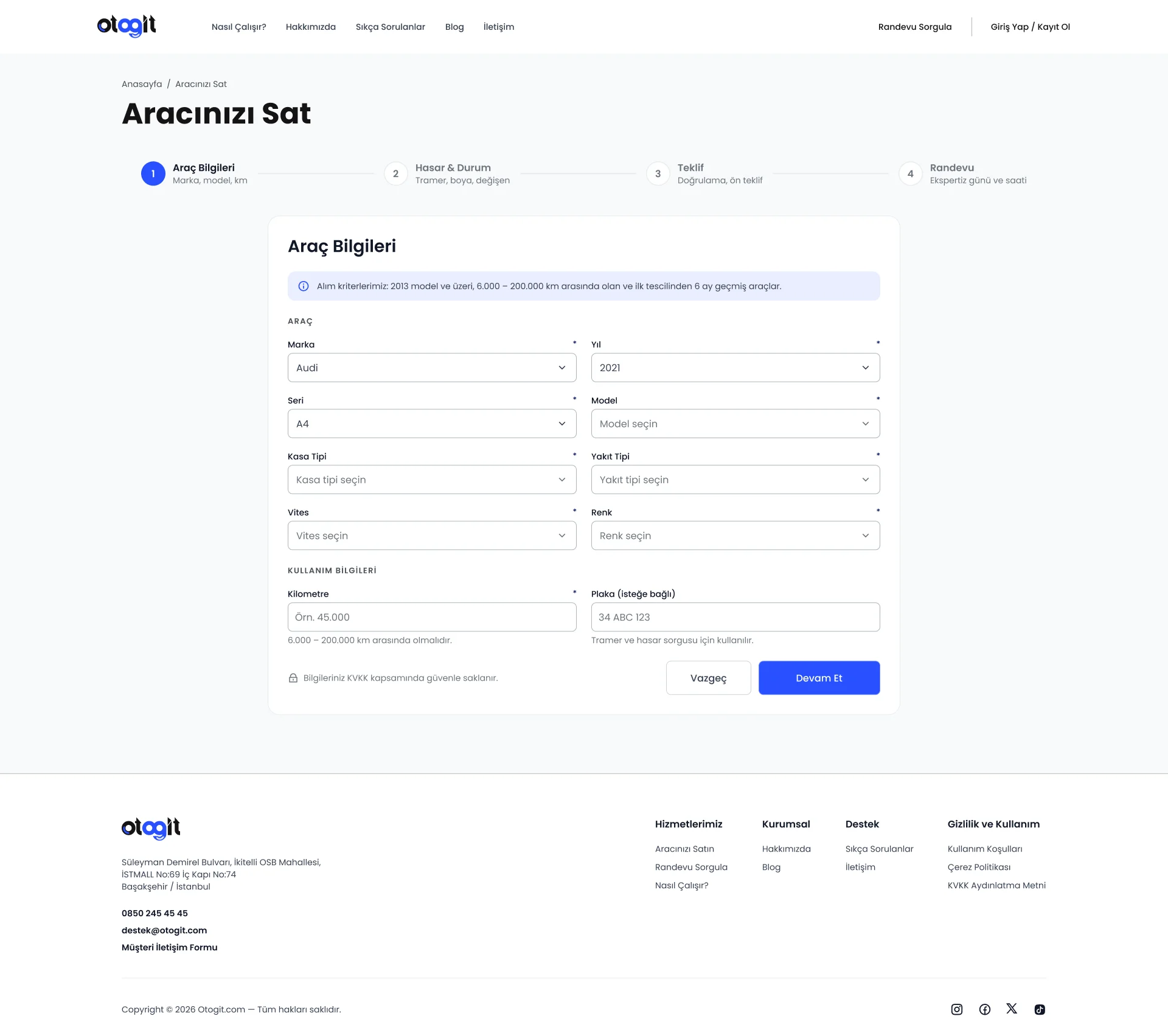
Pricing a used car needs a lot of information. The flow is split into four clear steps — vehicle, damage, offer, appointment — with progress always in view.
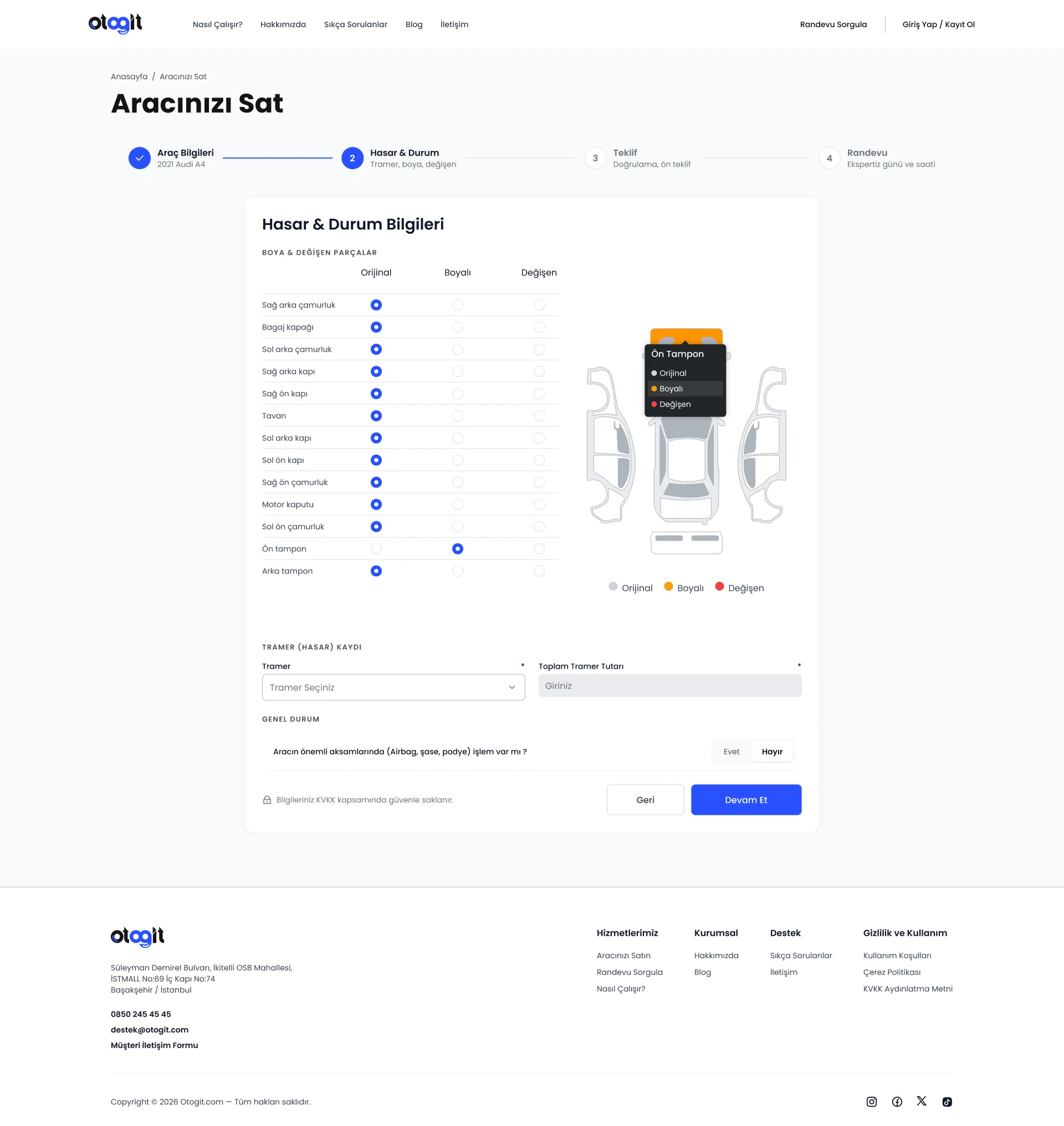
Purchase criteria appear before the form, so nobody fills it in for nothing. Damage is marked on a car diagram instead of only in a long list.
- Four steps with a persistent progress bar
- Criteria shown before the form
- Car diagram for paint and replaced parts
On the phone03 / 05
Designed for the thumb.
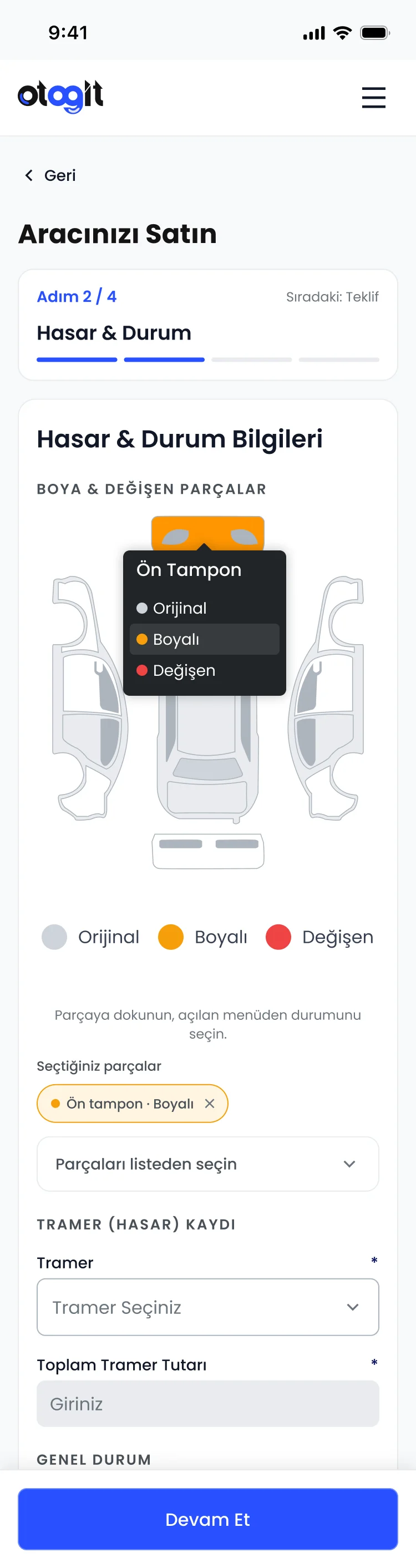
On mobile the car diagram becomes a tap target with a small menu, and the step indicator becomes a compact progress bar.
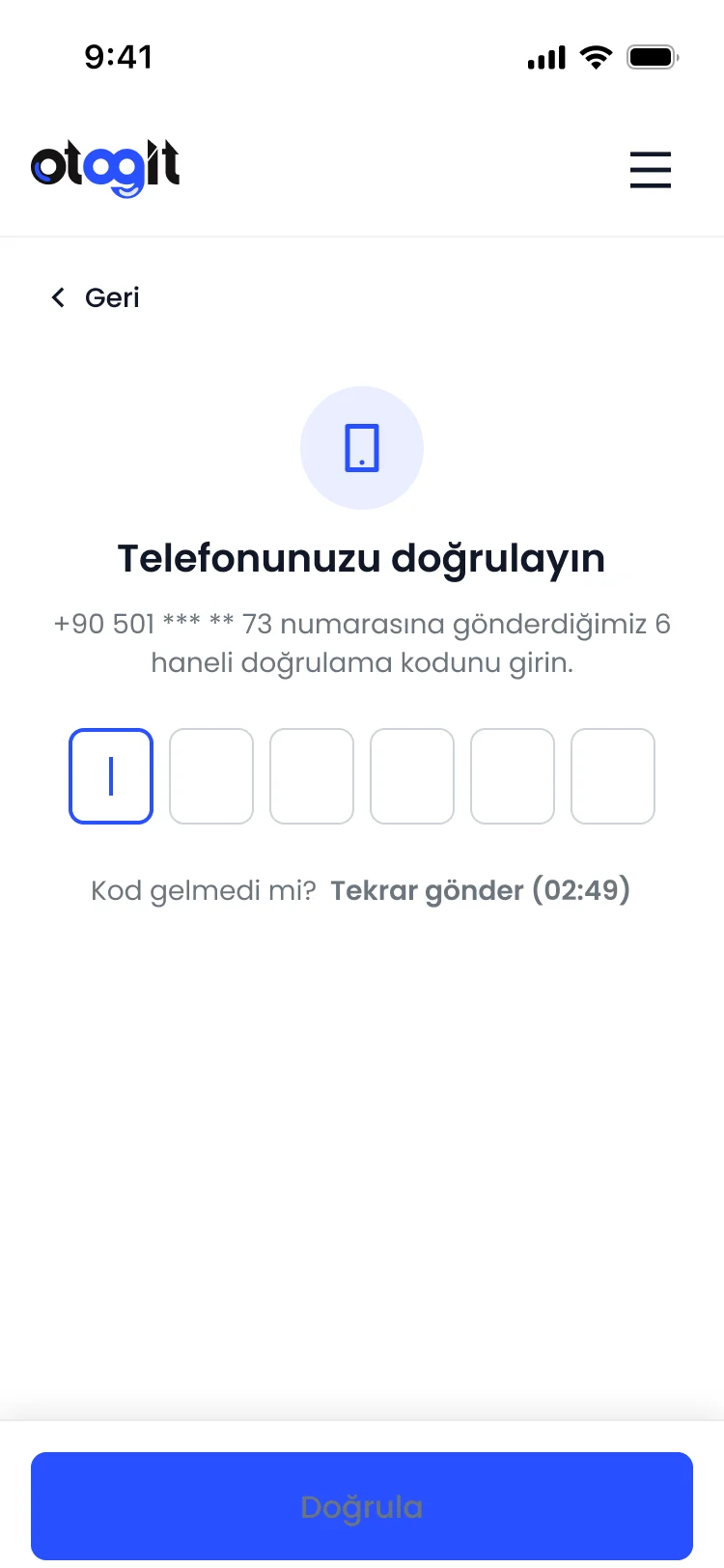
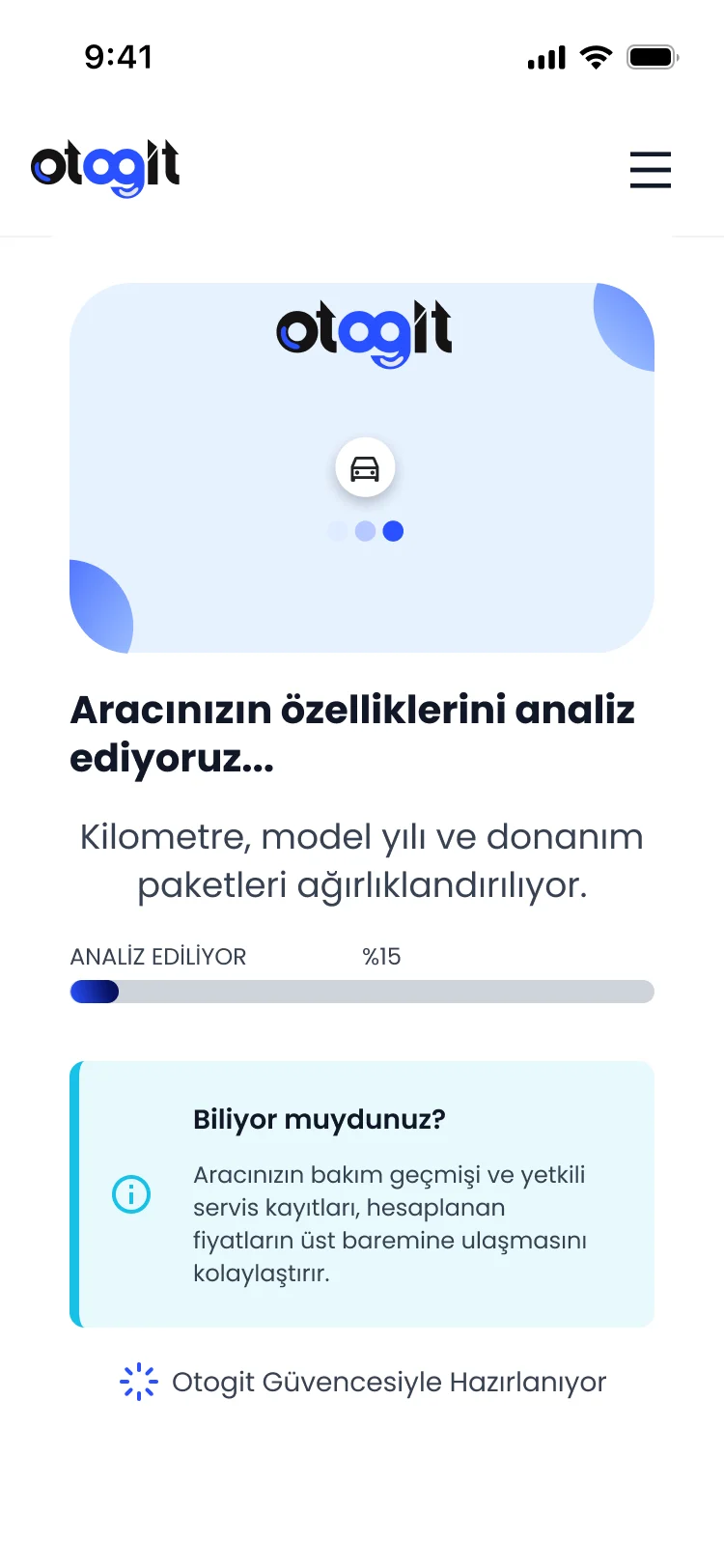
Phone verification and a short “preparing your offer” screen bridge the moment between entering data and seeing a price.
- Tap a part to set its condition
- Six-digit verification code
- A calm waiting state with a useful tip
The offer04 / 05
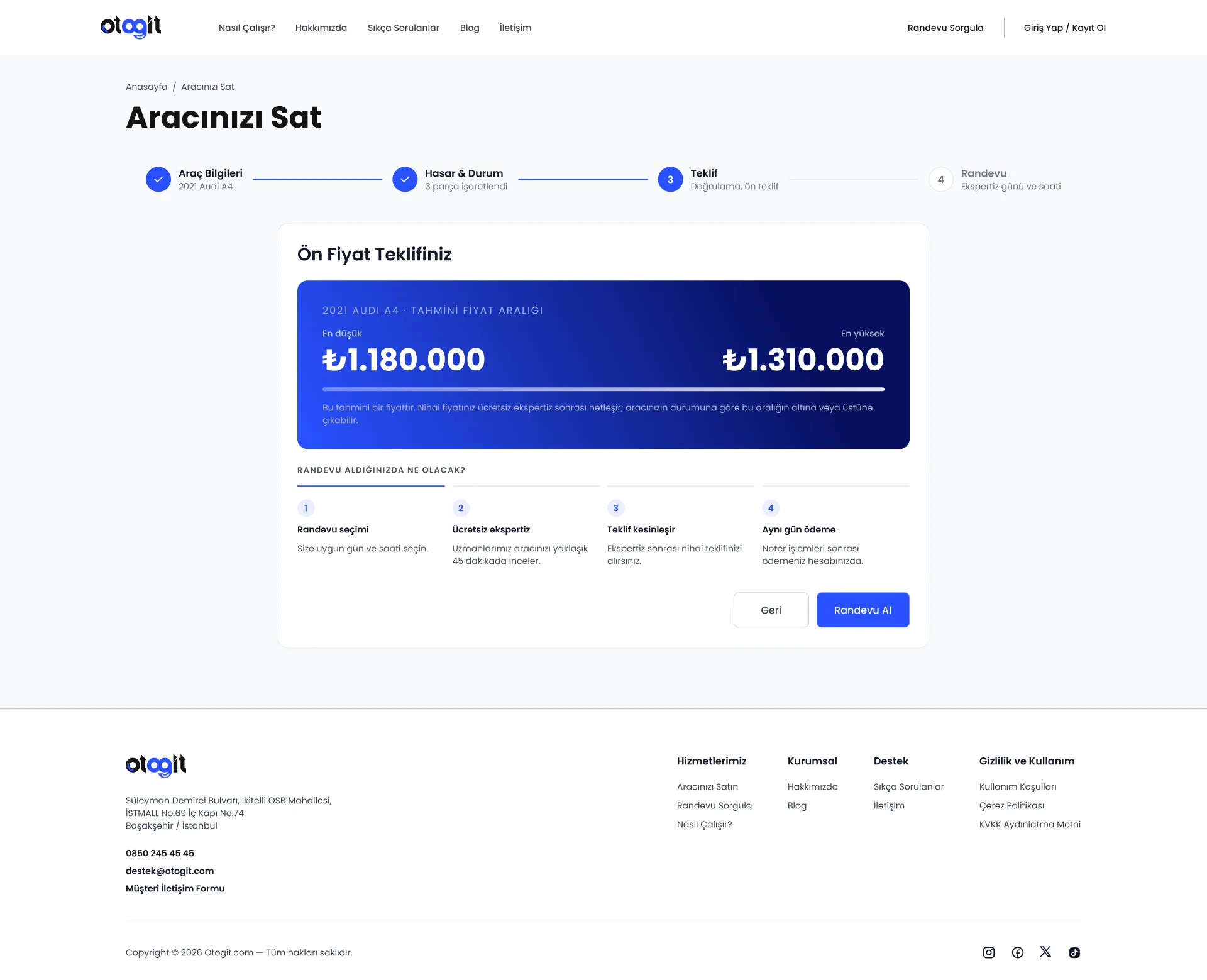
A price range, honestly explained.
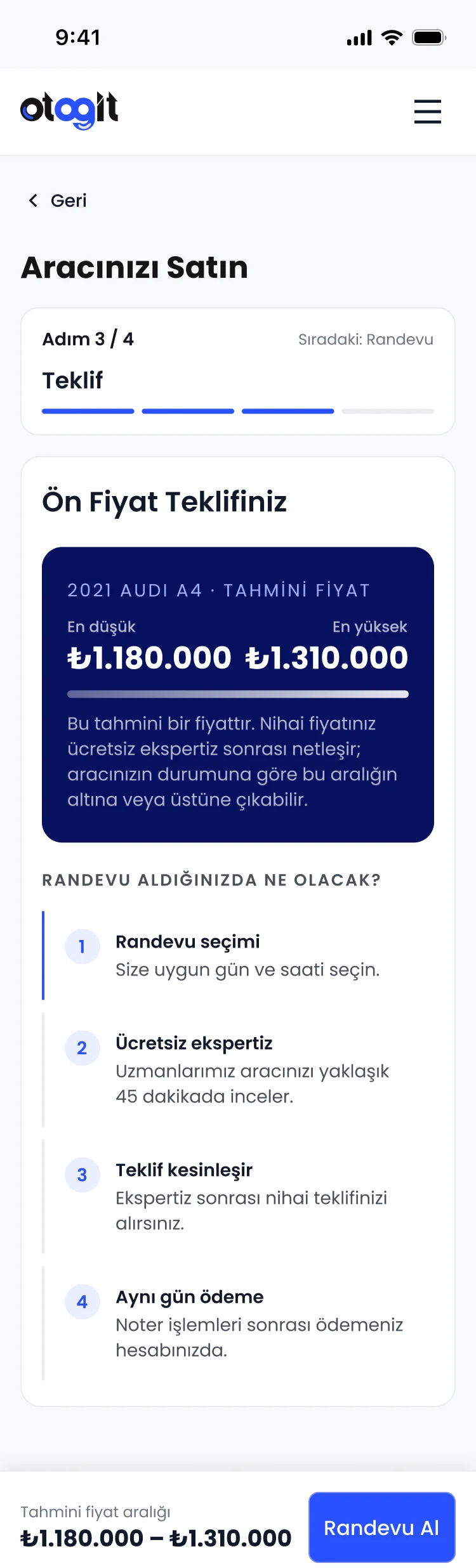
The first offer is a range, not a single number — with a clear note that the final price is set after the free inspection.
What happens next is spelled out in four short steps, and on mobile the range and the “Book appointment” action stay pinned to the bottom.
- Lowest and highest estimate
- Next steps in plain words
- Sticky action on mobile
Appointment05 / 05
Booking the inspection.
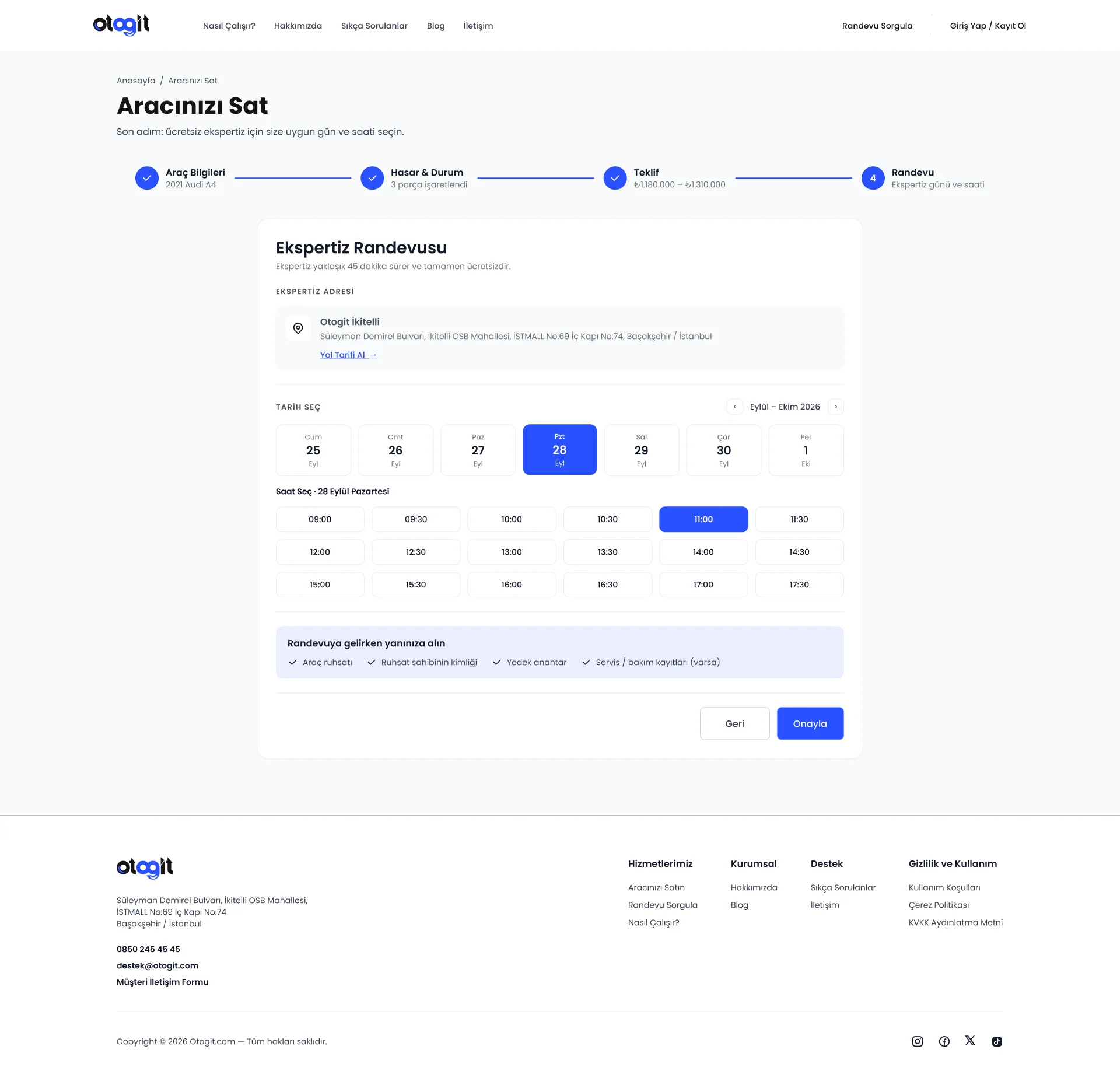
The last step books the free inspection: the location, a day and a time on one screen — plus a short checklist of what to bring.
- Address with directions
- Day and time in one view
- What to bring, before you go