Project overview
eSIMWorld sells eSIM data plans for travellers in 190+ countries. I led the design of the purchase flow across the mobile app and the website — from choosing a destination to having the eSIM installed.
The challenge01 / 05
A technical product, bought in a hurry.
People usually buy an eSIM right before or during a trip. They need to know three things quickly: which plan fits, whether their phone supports eSIM, and how to get it working.
The goal of the flow was to answer those questions at the moment they come up — without turning the purchase into a manual.
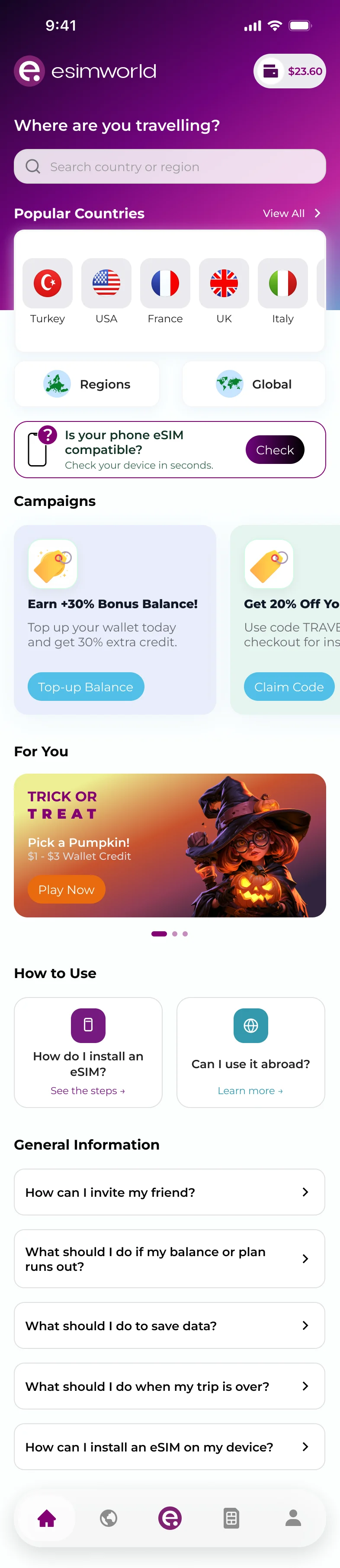
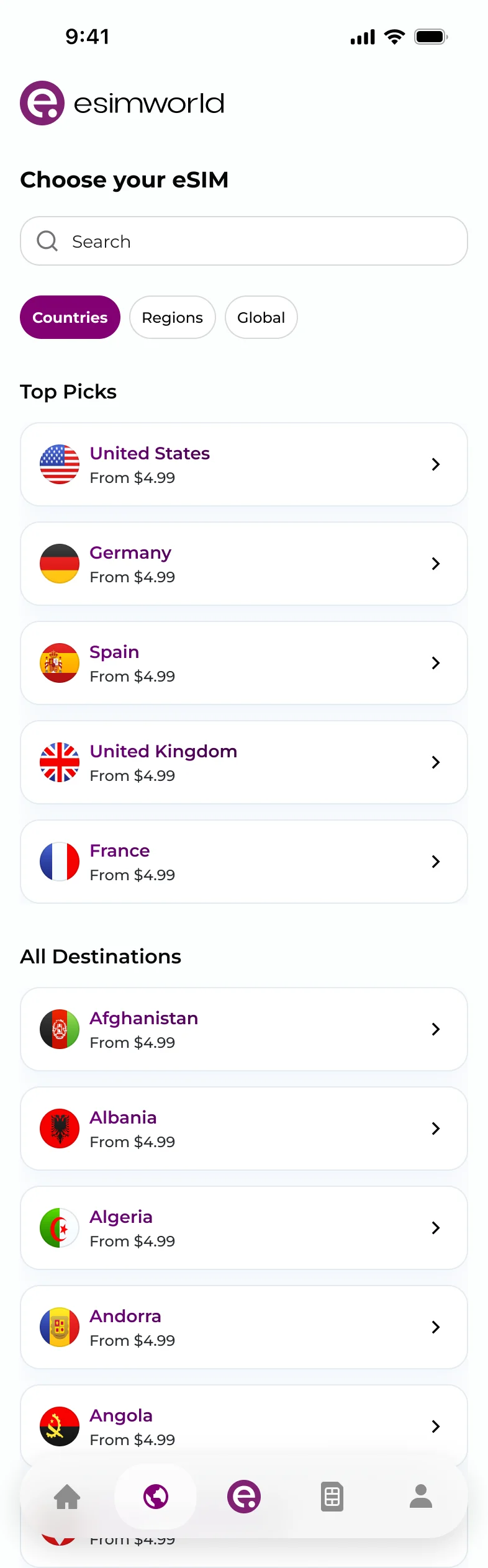
- Search first, popular destinations one tap away
- Compatibility check before anything is paid for
- Countries, Regions and Global — the way trips are planned
Choosing a plan02 / 05
Fewer comparisons, clearer choices.
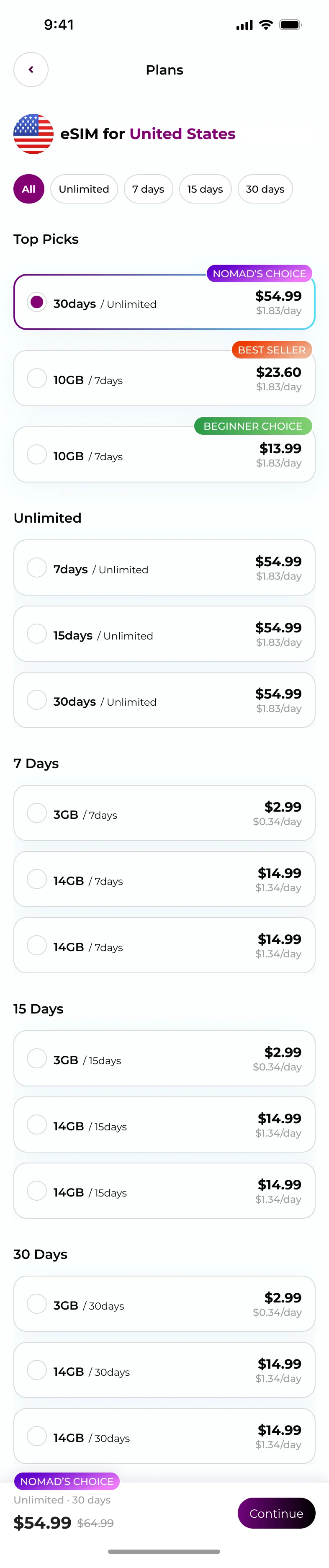
A long list of data sizes and durations is hard to compare on a phone. Plans are grouped by duration, and a small set of recommended plans sits on top with clear labels.
Every plan shows a per-day price, and the selected plan stays visible at the bottom with a single “Continue” action.
- Recommended plans with labels
- Price per day on every plan
- Sticky summary with one primary action
Checkout03 / 05
Two steps, no surprises.
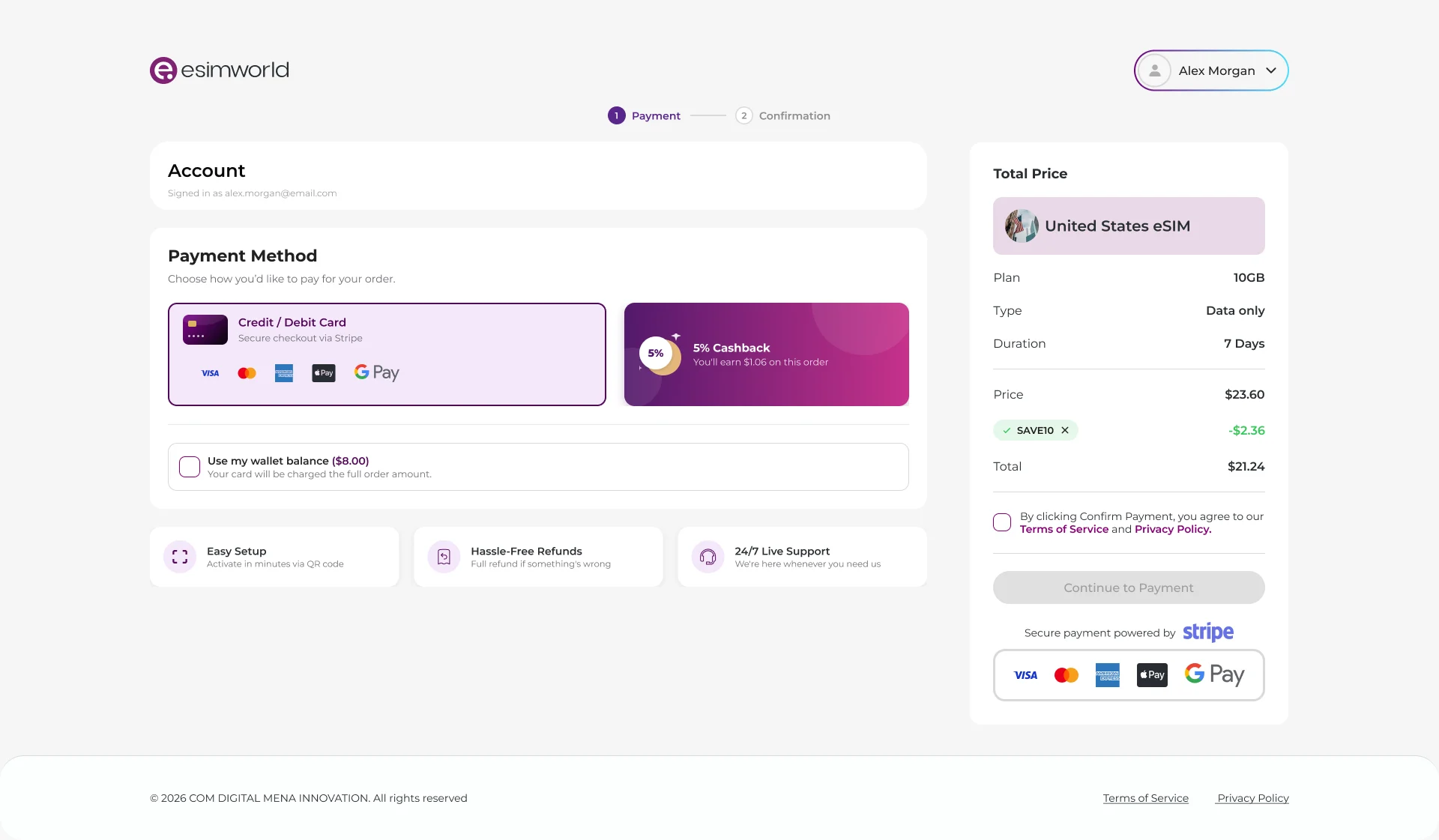
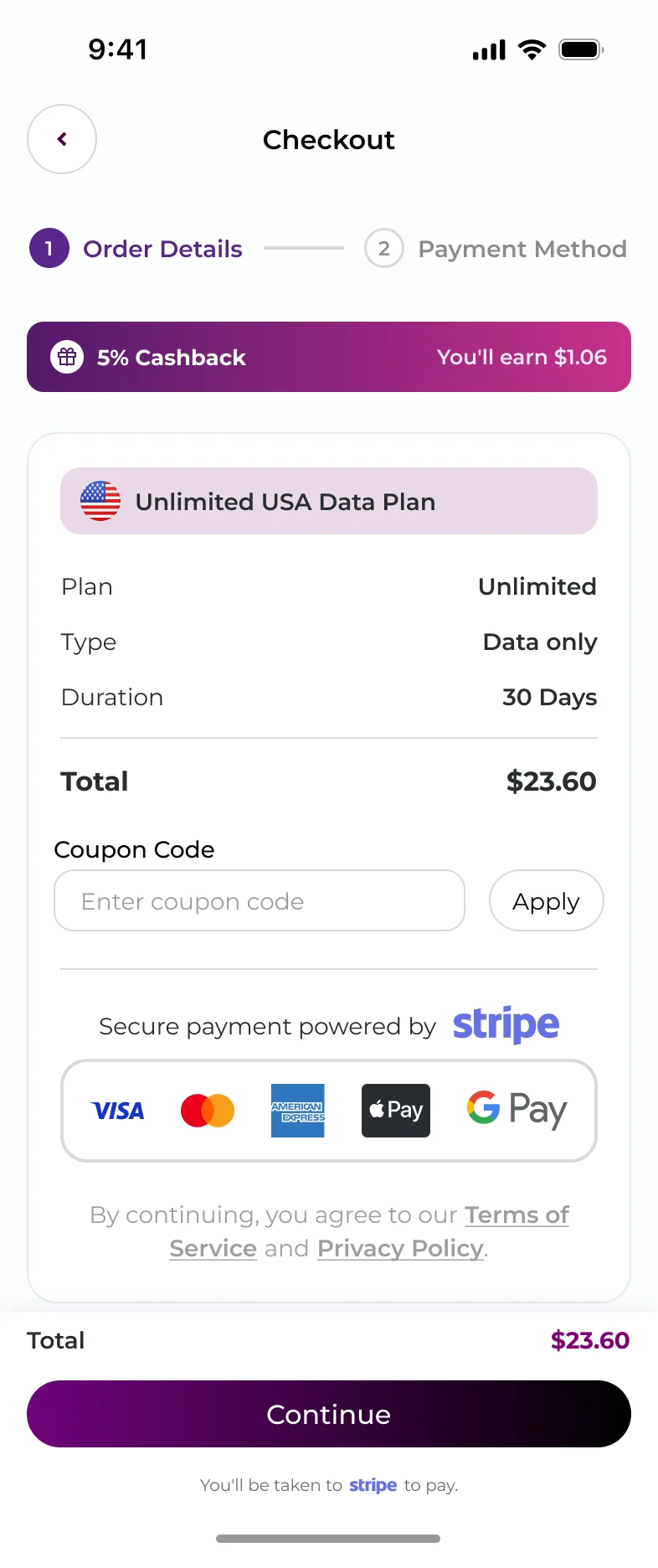
Checkout is split into order details and payment method, with progress always visible. Cashback, coupon codes and the final total are shown before the visitor commits.
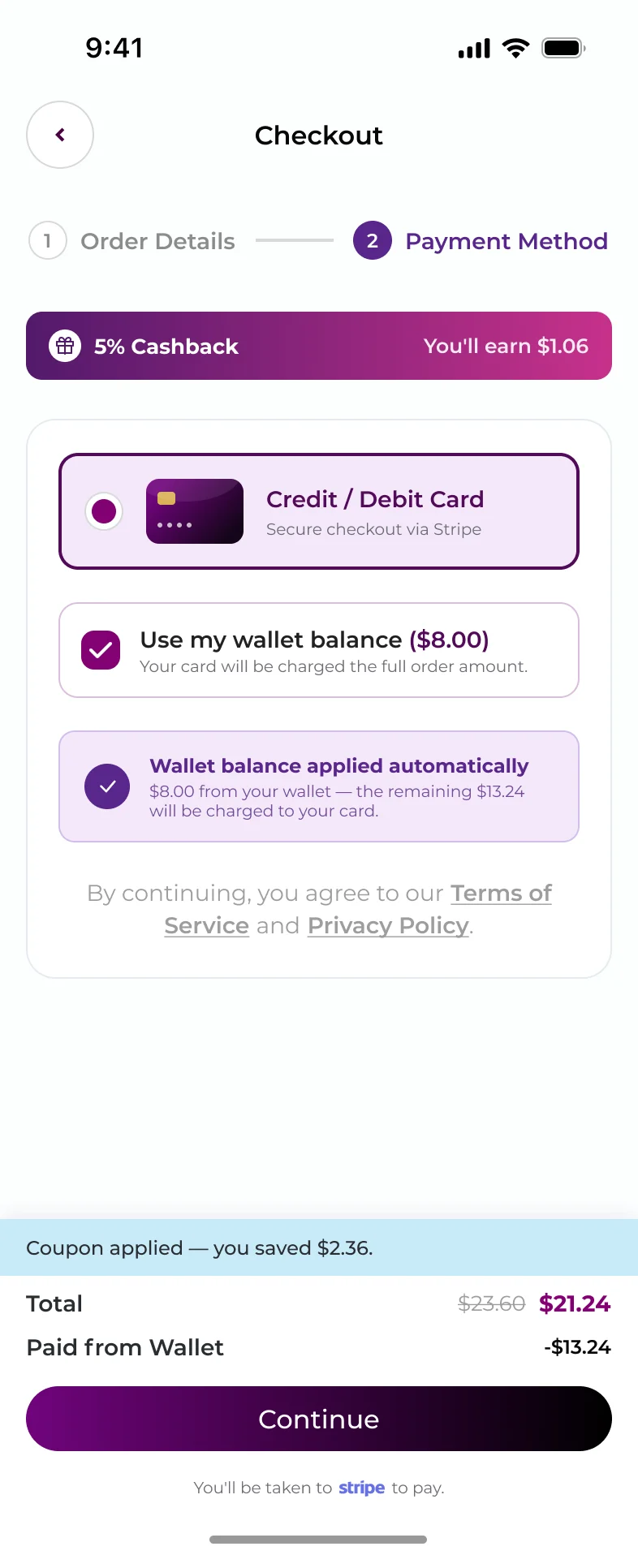
Wallet balance is applied automatically, and the card only covers what is left — so credit earned earlier never gets forgotten.
- Cashback shown up front
- Inline coupon code
- Wallet + card in one payment
After payment04 / 05
From “paid” to “connected”.
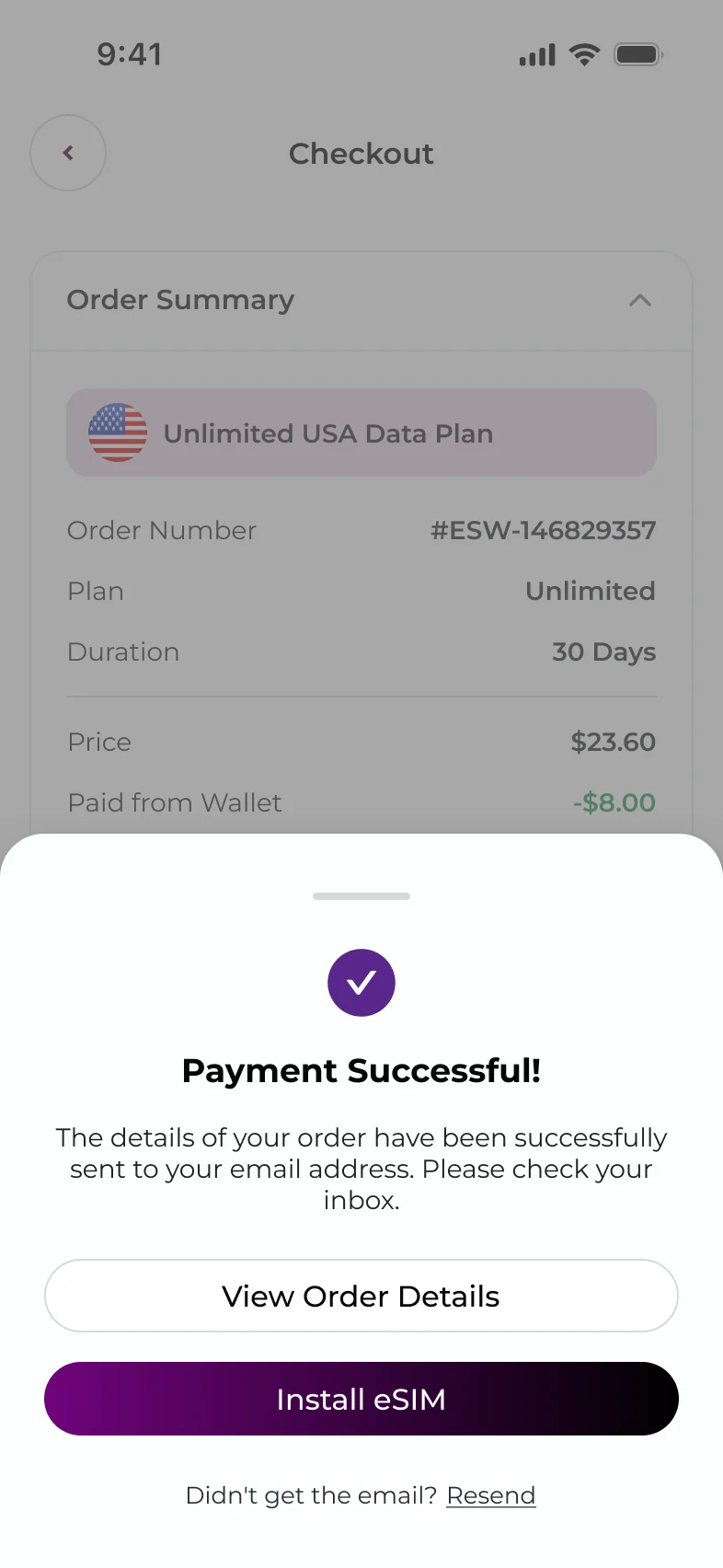
Buying the eSIM is only half the job — it still has to be installed. The success state leads straight to “Install eSIM”.
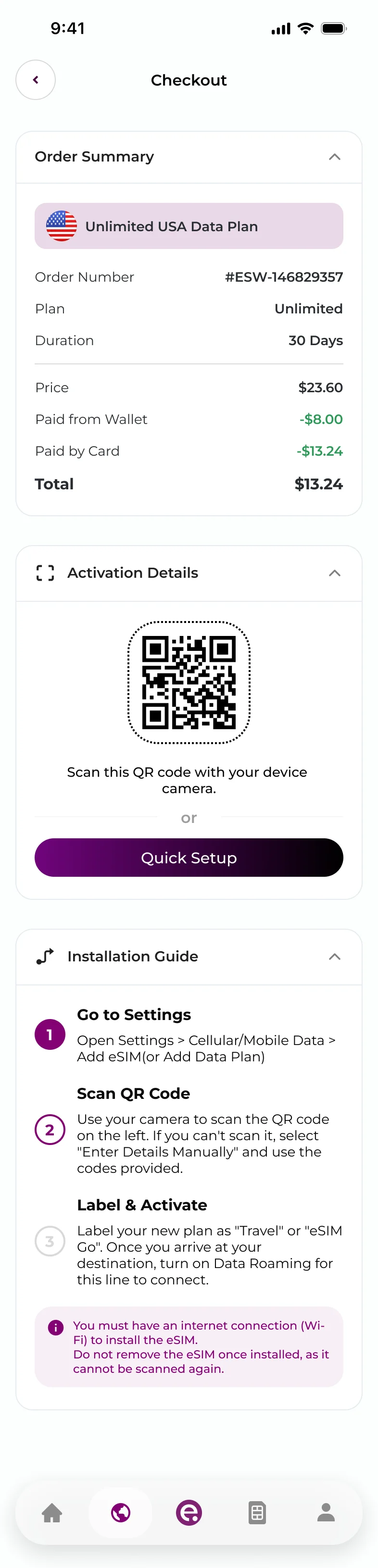
The order screen then brings the QR code, a Quick Setup option and a short installation guide together, including the warnings people need before they start.
- “Install eSIM” as the primary action
- QR code and Quick Setup side by side
- Three-step guide with key warnings
On the web05 / 05
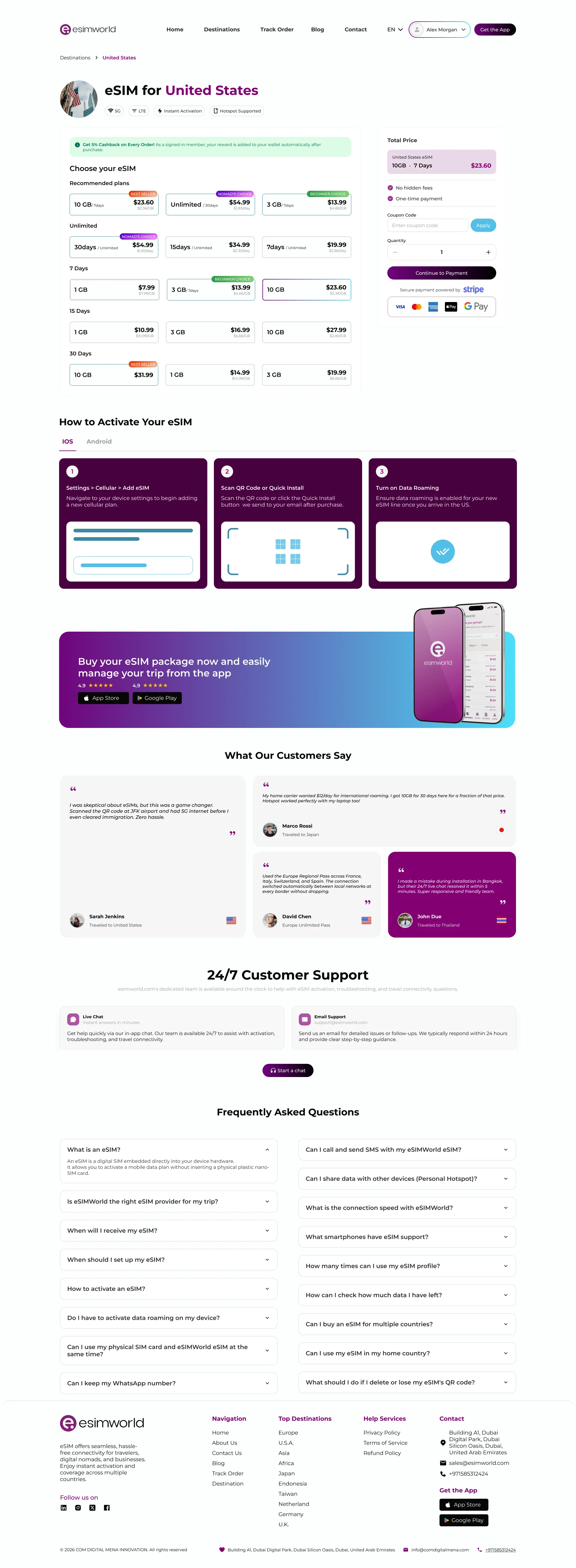
One flow, two platforms.
The website follows the same logic and components as the app. On larger screens the price summary moves into a sticky side column, so the total stays in view while comparing plans and paying.